
Nova
A diabetes companion you can text or call.
 Next.js
 React

 Anthropic API
 Hume AI

 Vercel AI SDK
 PostgreSQL

 Drizzle ORM
 Tailwind CSS
You can do everything right with diabetes and still see a high number at 3 a.m. Nova is for that moment. It's a web app you can text or call, and we built it for MUN Health between December 2024 and April 2025, for a study.
Before Nova says a word, it checks that it should be talking to you at all. Then it answers the feeling before the number.
Built on a chat template
We started from Vercel's open-source AI chatbot template. Streaming, history and sign-in worked on day one, so our time went into how Nova talks. The welcome screen says who it's for, starting with someone who needs "someone to talk to at 3 AM".


It went by Echo, then Bouy, then Echo again, before it became Nova in February. The heart favicon outlived three of the names.
How Nova answers
Nova writes at a 6th-grade reading level, so you can follow it half asleep. It asks more than it tells, in the style of motivational interviewing, a counseling method built on questions. It's warm, but it isn't your doctor.
A reply at 3 a.m. accepts the feeling first.1 Then it reframes the number ("one high number is one moment"), gives you one small thing to do tonight and points you back to your care team. On the next turn, it doesn't open with "that sounds frustrating" again. Hearing the same sympathy every turn reads like a form letter.
Some limits have no exceptions. Nova never gives medical advice or recommends medication, and it always says it doesn't replace a care team. If someone expresses thoughts of self-harm or severe distress, the reply gives crisis hotline information and tells them to contact emergency services right away. The model is Claude 3.5 Sonnet.
Who Nova turns away
Nova sends some people away before they ever reach the chat. In March, we rebuilt the way in for the study. Before you can talk to Nova, it asks whether any of five statements apply to you.


If any of them apply, Nova doesn't open. The five describe the people Nova is not suited for. Nova is awake at 3 a.m., so getting this wrong means a chatbot is the first thing someone in an emergency talks to. So the exit page leads with the emergency number.


Every page load checks three things in order. Are you signed in? Did you answer the statements in the last seven days? Have you done the intake? Miss one and you're sent to it.
That costs every user one screen a week. In return, the answer Nova relies on is never more than a week old, because a statement that was false in January can be true in March. The order matters too. Nobody types in their age or ZIP code before we know Nova is right for them, and someone who's been turned away stays on the exit page instead of being sent back around.
Questions you can tap
Under each reply are two follow-up questions you can tap. At 3 a.m., you shouldn't have to type.


At first, the model wrote them into the reply between [sug] markers, and a regex pulled them out. That meant the model had to get the markers right every time, while the reply was still streaming.
So the follow-ups became a tool call with one field, a list of questions, and the chips render straight from it. The questions are in your voice, because tapping a chip says it for you. A chip that says "how are you feeling?" would be Nova talking to itself.
Documents work the same way. Ask Nova to help you write down questions for your next appointment, and a panel opens beside the chat that you can download as a PDF, a Word file or a spreadsheet.


The chat model gets back one line, "A document was created and is now visible to the user", so it has nothing to repeat. And Nova only makes a document when you ask for one. In a support chat, a document nobody asked for is the wrong move. Even the tool name says so: updateDocumentAfterUserRequest.
Talking instead of typing
The mic button records your voice and turns it into words in the text box. You can fix them before you send, so the model never gets anything you didn't see first.
The other way is a live call, on Hume. Hume runs the whole spoken conversation, and it scores emotion from how you said something, as well as what you said. A plain text-to-speech service never hears you at all, and Nova's job is to answer the feeling.
The browser never holds Nova's own credentials. For a call, the server fetches a short-lived token and hands only that over.
The listening bars
On a call, your words only appear after you finish saying them. While you talk, a row of bars is how Nova shows it's listening.
Each bar is the loudness of one pitch band of your voice, with the bands spaced the way the ear groups pitch. The loudness is squashed the way hearing is, so a quiet voice and a loud one both stay on the meter.2
There are 32 bars but only 24 bands, so the last eight bars show the first eight bands again. Go back to the recording at the top and you can see it. The bars on the far right move in step with the first eight.
Between appointments
The reel at the top tells the story Nova was built for. Ana, an invented person, sees a higher reading than she expected at 3 a.m. She talks to Nova, and the next morning is easier.
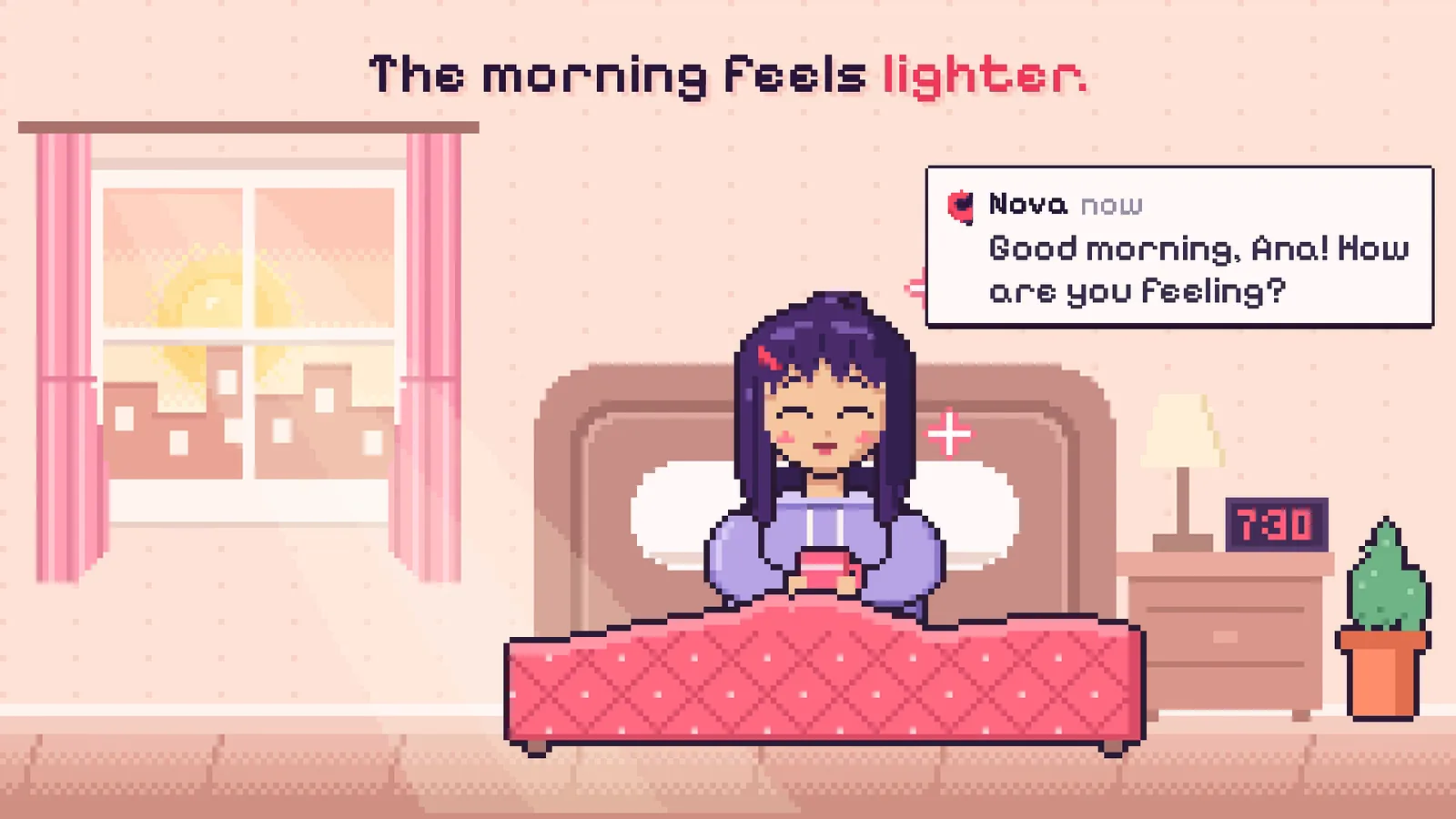
We gave up one screen a week to be sure who Nova was talking to. The rest went into listening, so Nova answers the feeling before the number and lets you reply in your own words.
- Every conversation on this page is invented, and no real participant appears on this page. ↩
- The meter uses Meyda's
loudnessfeature, about 94 frames a second, each with 24 Bark bands. A band's value is its summed amplitude raised to the power 0.23, so 1,000 times the amplitude reads only 4.9 times higher. A bar is 32 × value ÷ 4 pixels tall, between 2 and 32. At 1.88 seconds into the recording, band 1 reads 1.87, so its bar is 15.0 px. ↩